screen shot 2025 12 07 at 12.26.13 pm

Becoming a Member-Through Point Fitness Belton App

1. Download Our App

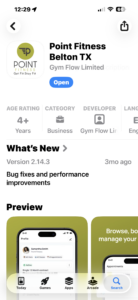
Go to your App store . Find Point Fitness Belton & download our app.

img 2702

2. Sign Up & Select membership

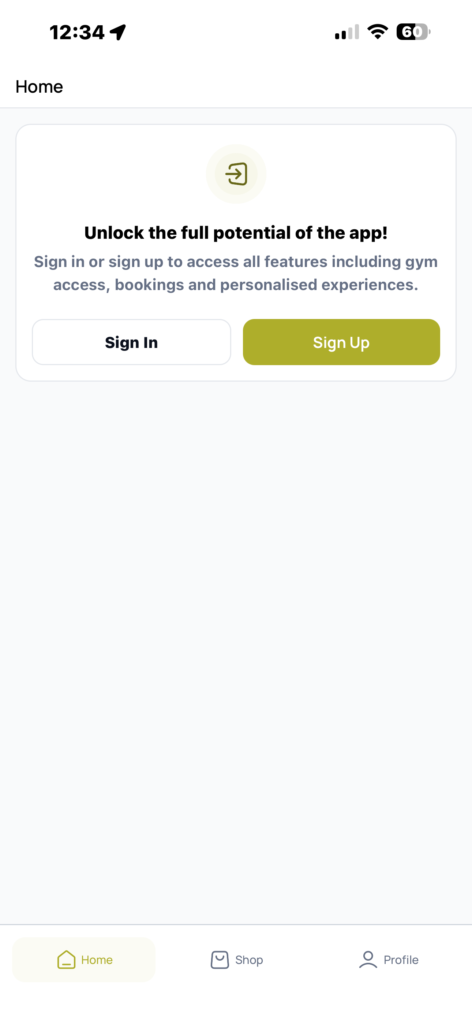
Sign up (this means register) and fill in all the required information needed. Sign waiver. Screen will go to HOME page. You are now registered, however, not yet a member.

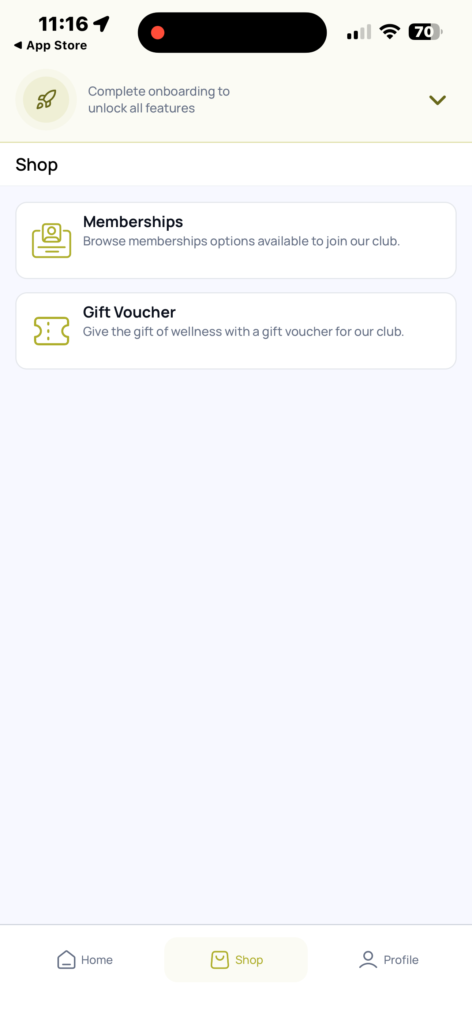
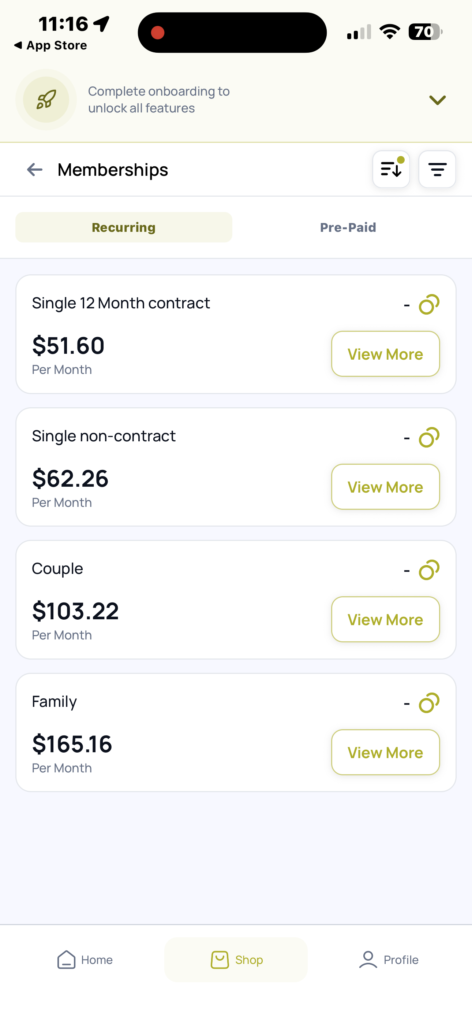
Click SHOP on the bottom tab. Select memberships. There are 2 types: Recurring & Pre-Paid. Select your desired membership and sign the waiver. Enter any required fields, such as payment method and click PAY.


img 2703
img 2694
img 2695
img 2697

3. Access

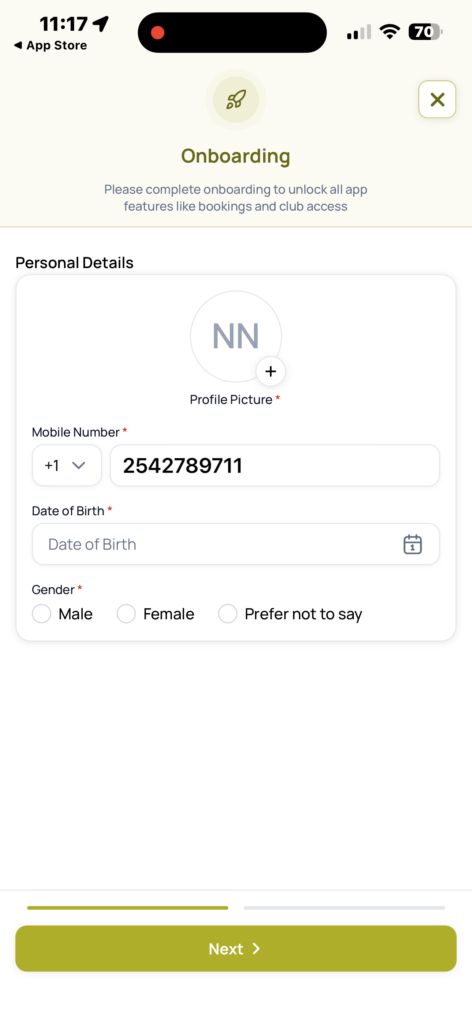
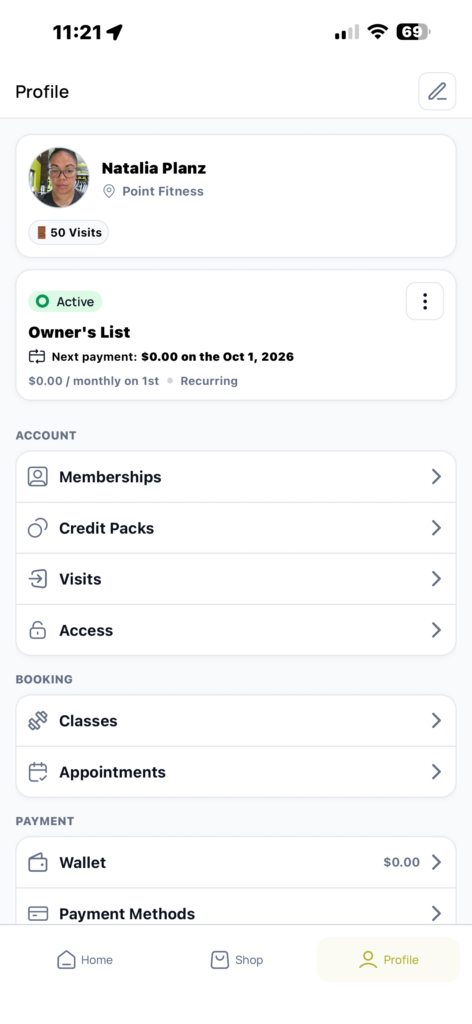
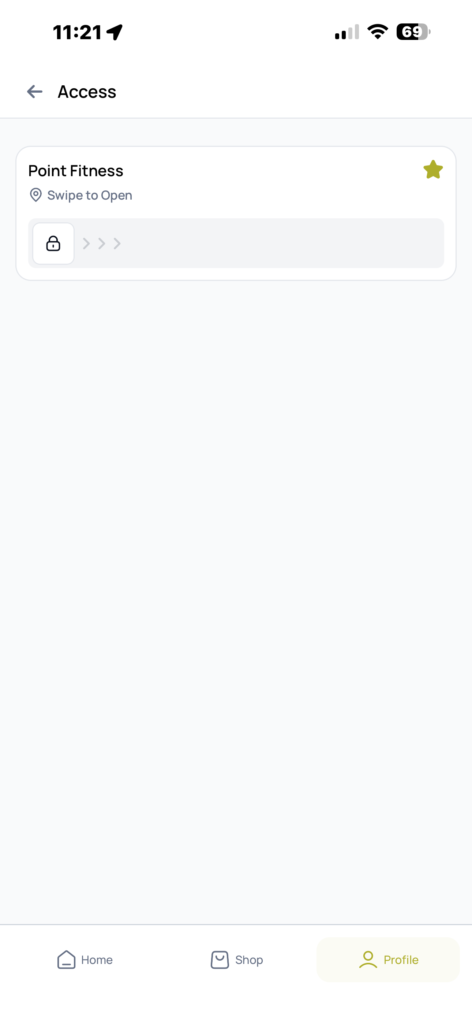
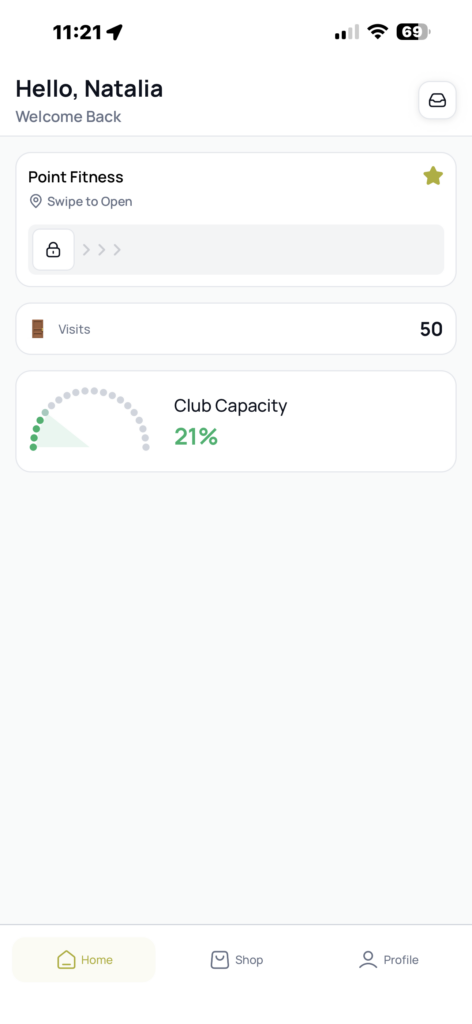
Now that you have registered and paid your membership-go to PROFILE tab on the bottom of the screen. Select ACCESS. Now fill out all the required fields. Profile photo is a must. ENABLE ACCESS: You will see this on the top as a button. Select and follow the prompts. Allow location and bluetooth. Make your phone PRIMARY. Poiint Fitness swipe door access will pop up. Highlight the STAR. This bar will now be in your HOMEPAGE. Swipe to open the door. Your MUST swipe at all times to enter even if someone opened the door prior to you. This helps us keep the capacity number and data of how many members are coming in.

img 2699
img 2700
img 2701

If you have a couple/family membership

Now that you have registered and paid your membership-go to PROFILE tab on the bottom of the screen. Select ACCESS. Now fill out all the required fields. Profile photo is a must. ENABLE ACCESS: You will see this on the top as a button. Select and follow the prompts. Allow location and bluetooth. Make your phone PRIMARY. Poiint Fitness swipe door access will pop up. Highlight the STAR. This bar will now be in your HOMEPAGE. Swipe to open the door. Your MUST swipe at all times to enter even if someone opened the door prior to you. This helps us keep the capacity number and data of how many members are coming in.